Illustration of a Google AI Overview answer card citing three website sources

Your rankings look healthy, yet clicks keep slipping. The reason is a shift in where searchers get their answers. Google says AI Overviews now have over 2.5 billion monthly users and AI Mode has passed one billion, and SparkToro’s 2026 clickstream data found that 68% of U.S. Google searches ended without a click. That is why learning how to rank in Google AI Overviews is now part of everyday SEO.

This guide explains how AI Overviews pick their sources, what the latest data says about traffic, six steps to get cited, and how to track the results. Every Google claim comes from Google’s own documentation, and where the evidence is limited, we say so.

What Are Google AI Overviews and How Do They Select Sources?

Quick answer: Google AI Overviews are AI-written summaries at the top of search results. Google builds them with retrieval-augmented generation (RAG), also called grounding: it retrieves relevant pages from its Search index using core ranking systems, then writes an answer with links to supporting sources. Only indexed pages eligible for a snippet can be used.

Two techniques matter. Retrieval-augmented generation grounds the answer in real pages from Google’s index, which keeps it fresher and more accurate. Query fan-out means the system runs several related searches at once. In Google’s own example, a question about fixing a weedy lawn fans out into searches on herbicides, chemical-free removal and prevention. So your page can be cited for a narrower sub-question, not only for the exact query.
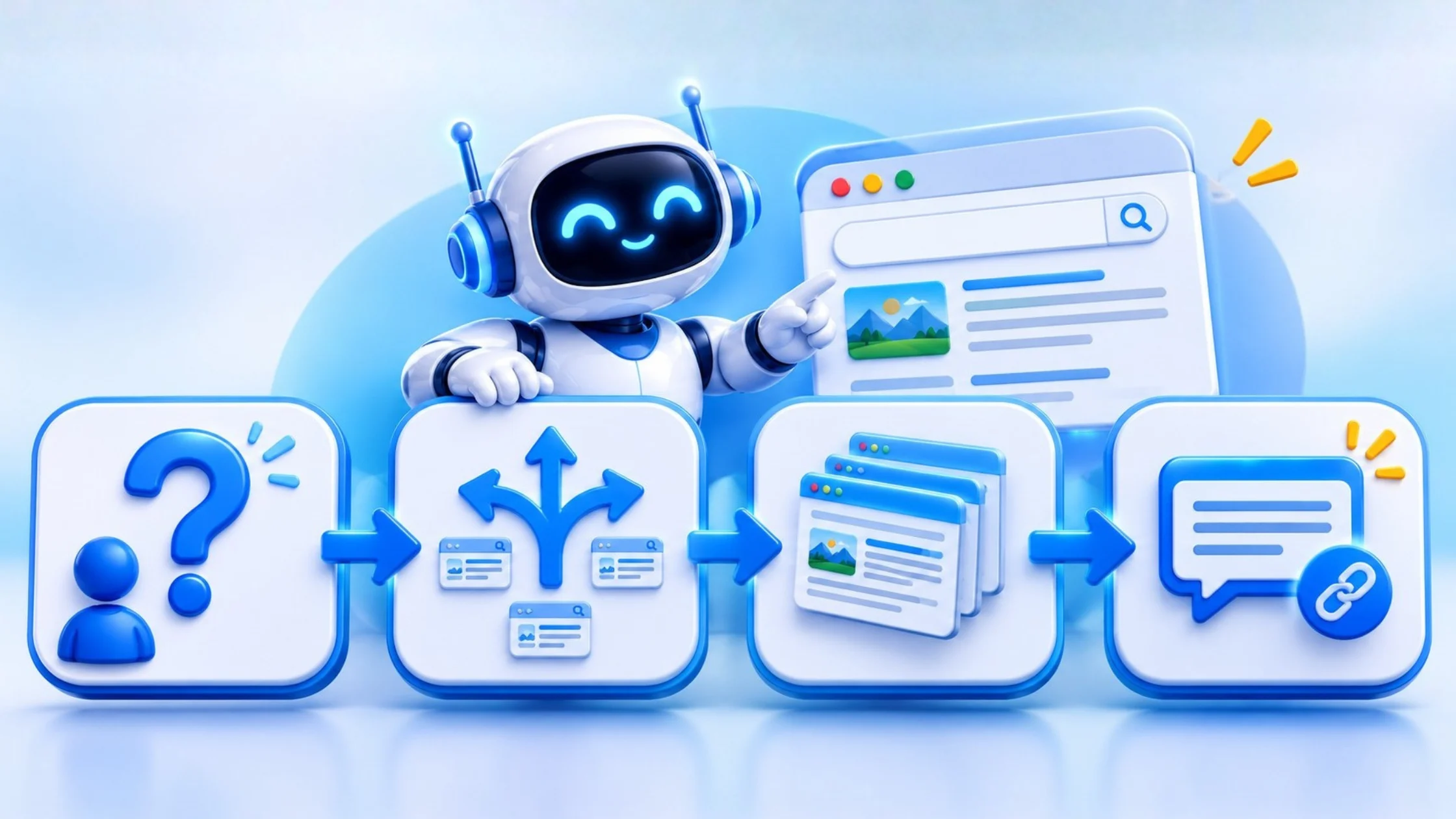
Diagram showing how Google AI Overviews use query fan-out and retrieval to build answers

Google’s guide says its AI features rely on the same core ranking and quality systems as Search, so there is no separate AI-only ranking system to game. It does not describe an “entity trust” score. It does list eligibility rules: a page must be indexed and eligible to appear with a snippet, and the site must be included in the Search generative AI control in Search Console. AI Mode is Google’s fuller conversational search experience, but Google’s guidance covers AI Overviews and AI Mode together, so the steps below apply to both. For the wider picture, read our guide on how AI decides which brands to cite.

How Does Google AI Mode Affect Website Traffic?

Quick answer: Google AI Mode and AI Overviews reduce clicks to websites, but the size varies. SparkToro found 68% of U.S. Google searches ended without a click in early 2026, and a randomized study found AI Mode cut external-site visits by 18.8 percentage points. Being cited still matters, because cited brands earn more clicks than uncited ones.

Here is what the main 2025 to 2026 studies found, with their limits:

Source

What it found

Limit

SparkToro and Similarweb, Jan to Apr 2026

68.01% of U.S. Google searches ended without a click, up from 60.45% in 2024

Not all zero-click searches are caused by AI

Pew Research, Mar 2025

Users clicked a traditional result in 8% of visits with an AI summary, versus 15% without

900 U.S. adults; now dated

Ahrefs, Dec 2025

Position-one click-through was 58% lower when an AI Overview appeared

Correlation across 300,000 keywords

Randomized study, Sept 2026

Forcing searches into AI Mode cut the share reaching an external site by 18.8 points

1,100 U.S. users, 7 days, AI Mode was forced

Cyrus Shepard case study, Oct 2026

AI impressions earned about 0.9% click-through, and opting out also lowered regular organic clicks

One site, small sample

Seer Interactive, 2026

Cited brands earned about 120% more clicks per impression than uncited ones

Informational queries; directional

Four takeaways follow from the data:

  • Fewer clicks per impression. Expect lower click-through on queries that trigger an AI answer, even when your ranking holds. Our post on why rankings can rise while traffic falls explains how to diagnose it.
  • AI Mode is still a small share of searches. SparkToro found AI Mode in only 0.34% of searches from January to April 2026, though Google says usage is growing fast. The randomized study shows what happens when AI Mode becomes the default, not what happens when people choose it.
  • A citation beats no citation. Seer’s data and the Shepard case study both point the same way, although the case study covers a single site.
  • Not every query is affected equally. Seer found AI Overviews on about 36% of informational queries, 8% of commercial queries and 5% of transactional queries across 53 brands. Product and service pages are exposed less than how-to content.

6 Proven Steps to Get Cited in Google AI Overviews

Quick answer: To get cited in Google AI Overviews, confirm your pages are indexed and eligible, publish original content with first-hand experience, answer questions clearly under question-style headings, add accurate structured data, earn genuine mentions elsewhere, and show real authorship. Google says standard SEO best practices apply, and no special AI markup is required.

Step 1: Confirm Your Pages Are Eligible

Google requires a page to be indexed and eligible to show with a snippet. Check three things:

  1. Use the URL Inspection tool in Search Console to confirm the page is indexed.
  2. Make sure you have not used nosnippet or a very restrictive max-snippet tag.
  3. In Search Console, open Settings > Search generative AI and confirm your site is set to “Include.” This is the default, and Google rolled the control out to all websites worldwide on 31 August 2026. Excluding your site removes all impressions and traffic from AI Overviews and AI Mode.

Step 2: Publish Original, Non-Commodity Content

Google says unique, valuable content will likely influence your presence in AI search more than any other tip. Its example of commodity content is a generic “7 tips” list built from common knowledge. Add what only you can: first-hand testing, your own data, client results, screenshots and a clear point of view. Support the text with high-quality images and video where they help. Our content development team builds pages around this principle. Do not create a separate page for every query variation; Google says doing that to manipulate AI responses violates its scaled content abuse policy.

Step 3: Format Content With Structured Q&A

If you are wondering how to optimize content for AI search engines, start with clarity. Use question-style headings, put a direct answer of 40 to 55 words under each one, then add detail with short paragraphs, lists and tables. Google says there is no need to chop content into tiny “chunks” or to rewrite pages in a special way for AI, and no ideal page length. Write for your reader, and good on-page SEO does the rest.

Step 4: Add Accurate Schema Markup

Google says structured data is not required for its generative AI features and that no special markup exists for them. It still recommends using it because it supports eligibility for rich results. Add Article, FAQPage, Organization, Product or LocalBusiness markup as relevant, and make sure it matches what is visible on the page. Online stores should also keep Merchant Center feeds accurate, and local businesses should keep their Google Business Profile current. See our guide to Magento SEO for Google AI Overviews for a store-specific example.

Step 5: Earn Genuine Brand Mentions

Google’s AI features can reflect what is said about brands across blogs, videos and forums. Take part honestly on Reddit, Quora and industry sites by answering real questions in your own name and disclosing your connection to the company. Google warns that seeking inauthentic mentions is not as helpful as it seems, and in the U.S. the FTC requires clear disclosure from company insiders who post reviews. Our guide to getting your business mentioned in ChatGPT, Gemini and Perplexity covers this in more detail.

Step 6: Show Strong E-E-A-T With Author Bios

Add a named author with real credentials to every article, show when it was last updated, and cite your sources. Keep your About page, contact details and company facts consistent across your site and profiles. These signals help readers judge reliability, which is the goal of Google’s quality systems. Read more about E-E-A-T trust signals.
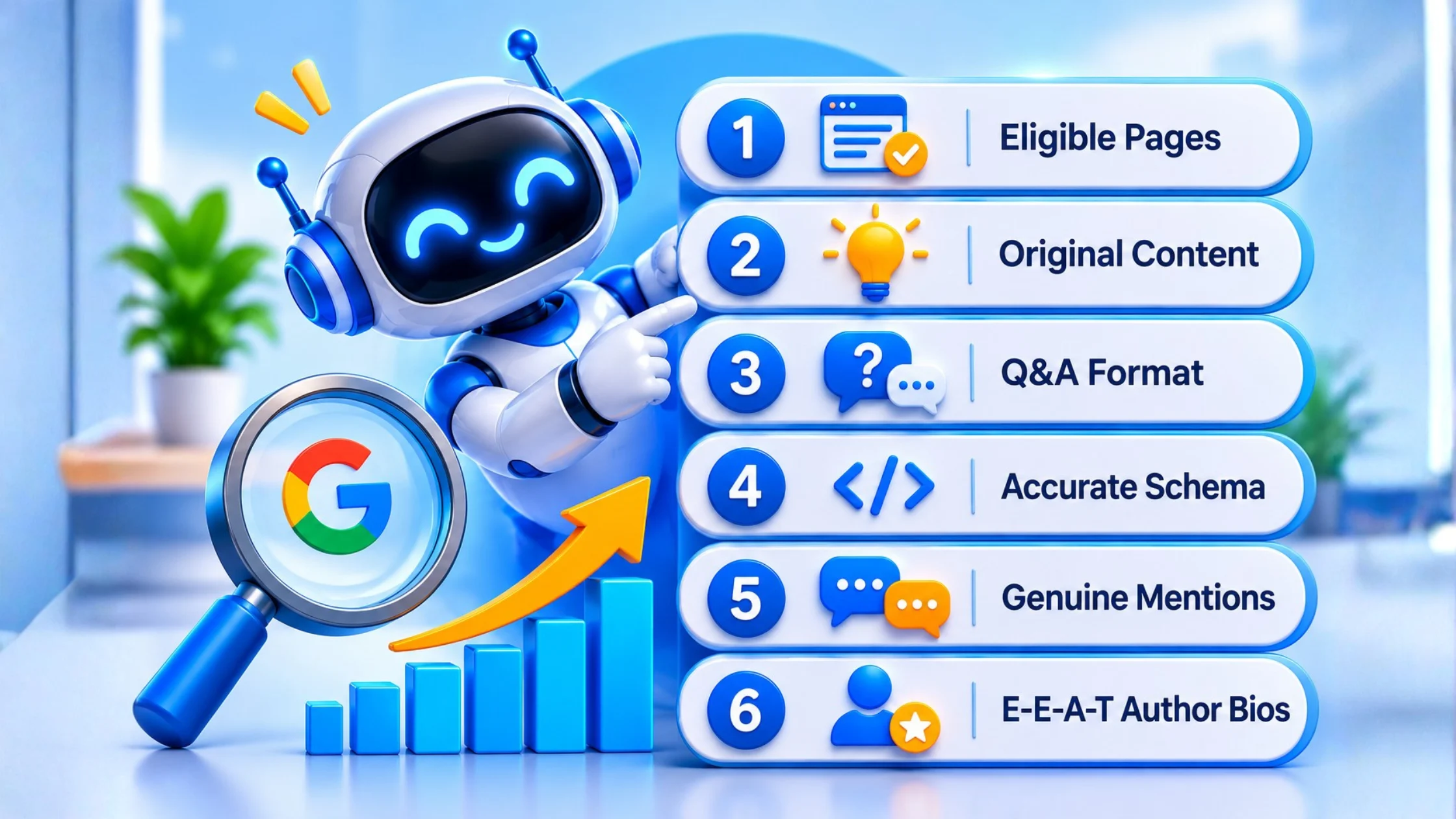
AI Overview SEO checklist with six steps to get cited in Google AI Overviews

AI Overview SEO Checklist

Quick answer: Use this AI Overview SEO checklist before publishing: page indexed, snippet allowed, generative AI control set to include, original insight added, question-style headings with short direct answers, accurate structured data, named author, sources cited, and fast mobile page experience. Review it quarterly for your top pages.

  • Page is indexed and returns no errors
  • No nosnippet or restrictive max-snippet tag
  • Search generative AI control is set to “Include”
  • The page contains original data, experience or insight
  • Question-style headings with 40 to 55 word answers
  • Accurate structured data that matches visible content
  • Named author, updated date and cited sources
  • Fast, usable mobile page experience
  • Merchant Center or Google Business Profile details current, if relevant

Why Is Google AI Overview Not Showing My Website?

Quick answer: Google AI Overview may not show your website because the page is not indexed or snippet-eligible, your Search Console generative AI control is set to exclude, the query does not trigger an AI Overview, or competing pages offer more original value. Eligibility is a requirement, not a guarantee.

Work through these causes in order:

  1. Eligibility. Run the three checks in Step 1.
  2. The query. Many searches never trigger an AI Overview. Seer’s data shows transactional queries trigger them far less often than informational ones.
  3. Content depth. If your page restates what ten others already say, an AI system has no reason to cite it.
  4. Crawlability and page experience. Google says content must be crawlable, load well on all devices and make the main content easy to find.
  5. Competition. Other sites may answer the sub-questions more completely. Our competitor SEO analysis shows who is cited instead of you.

How to Track Your Visibility Inside AI Search

Quick answer: Track AI search visibility with three methods: a monthly manual prompt log across Google AI Mode, ChatGPT and Perplexity, Search Console’s Generative AI performance report for impressions and pages, and third-party AI visibility trackers. Add branded search trends and a self-reported “How did you hear about us?” field to capture influence without clicks.

  1. Manual prompt testing. Pick 10 to 20 questions your buyers ask. Run them each month in Google AI Mode, ChatGPT and Perplexity, and log whether your brand is named, which pages are cited and who else appears.
  2. Search Console. Use the Generative AI performance report, which Google says shows impressions, the pages that appear in AI responses and the countries involved. Clicks on links in AI Overviews and AI Mode also count in the standard Performance report.
  3. Third-party trackers. Vendors such as Semrush and Similarweb sell AI visibility tools that automate prompt checks. Treat their figures as directional, since each vendor measures differently.
  4. Brand signals. Watch branded search volume in Search Console and add a “How did you hear about us?” field to your forms, with an AI chatbot option.
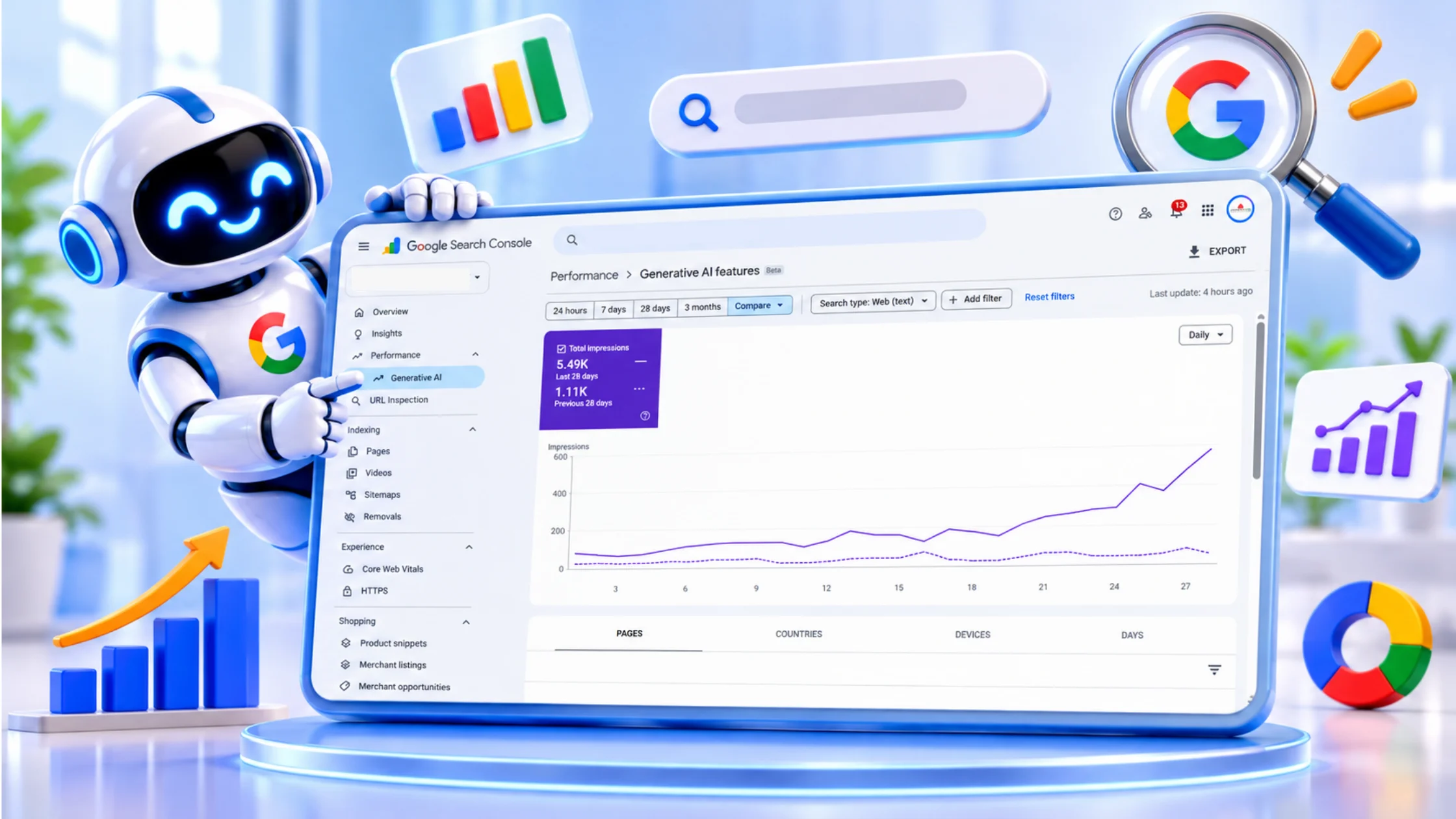
Search Console Generative AI performance report showing impressions from AI features

Because AI answers rarely send a click, tracking influence matters as much as tracking traffic. Our post on SEO when Google stops showing blue links explains how to adjust your reporting.

Get a Free Search Visibility Audit

Want to know how to rank in Google AI Overviews with your own pages? Apex Web Zone’s SEO and AI visibility services cover the technical checks and content gaps in this guide. Request a free SEO audit and we will show you what to fix first.
Frequently asked questions

Make sure your pages are indexed, eligible for a snippet and included in the Search generative AI control in Search Console. Then publish original, helpful content that answers real questions. Google says no special AI markup or file is needed.

Evidence says it can reduce it. A randomized study found AI Mode cut the share of searches reaching an external site by 18.8 percentage points, though participants were forced into AI Mode for seven days. AI Mode is still a small share of all searches, so measure your own Search Console data.

The most common causes are indexing or snippet problems, the Search Console generative AI control being set to exclude, and queries that do not trigger an AI Overview. Weak or commodity content is another cause. Fix eligibility first, then improve originality.

No. Google says structured data is not required for its generative AI features and that Google Search does not use llms.txt. Schema still helps with rich results, so keep it accurate.

Use Search Console’s Generative AI performance report to see impressions and pages that appear in AI responses. Also run your key questions manually each month and note whether your pages are cited.

Chain of five links from impression to demo request with one link broken

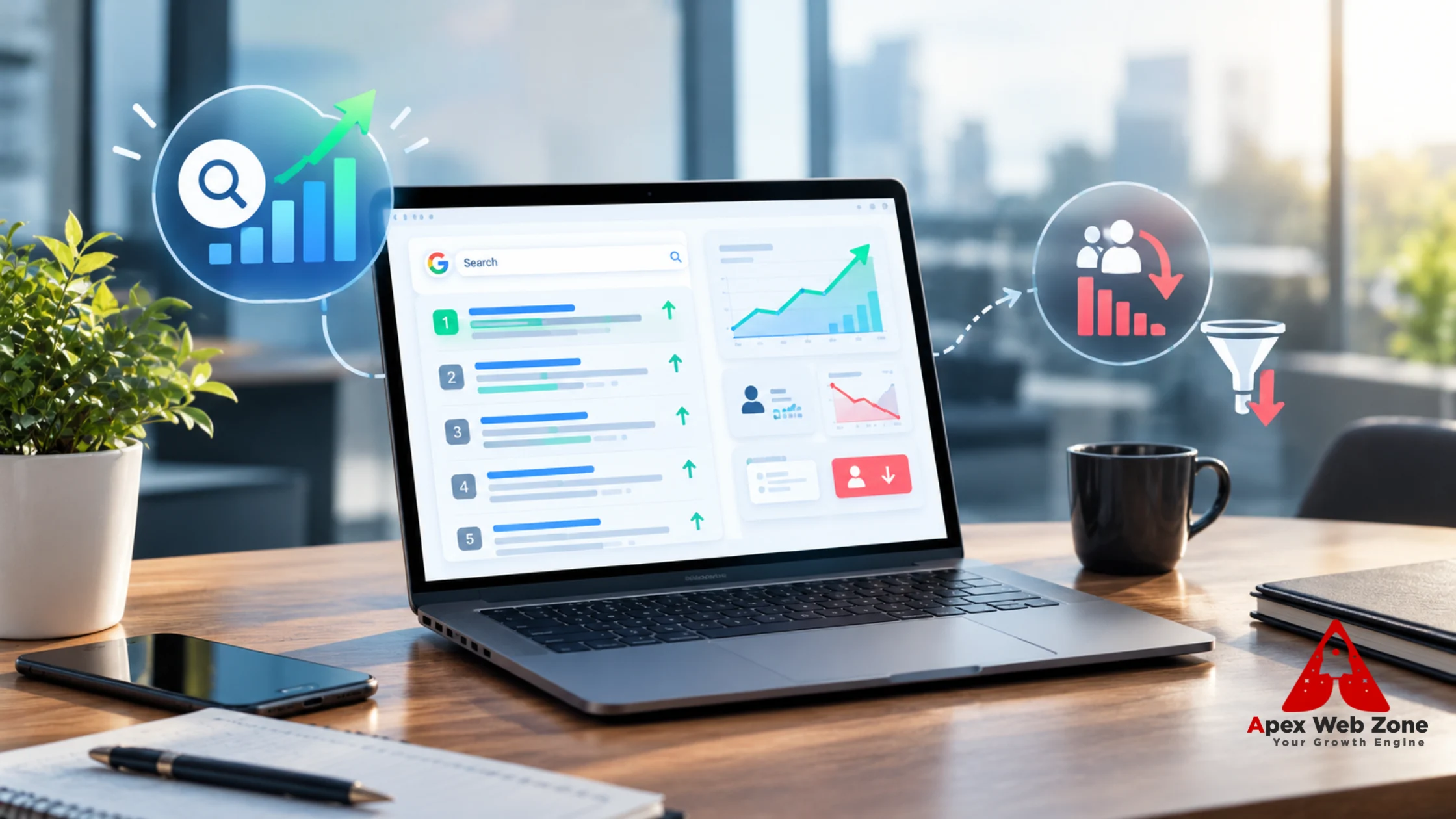
Your dashboard shows three lines that no longer agree. Rankings hold, with your key pages still in the top three. Clicks from search are sliding. And demo requests, the number your CEO actually asks about, are down.

It is tempting to treat this as one problem and reach for one fix. It is at least three. A ranking is a position. A click is a decision a searcher makes after seeing everything on the results page. A demo request is a decision a visitor makes after reading your page. Each can fail on its own, and each needs a different repair.

This guide is written for B2B marketing leaders. It shows how click behavior changed through 2025 and 2026, how Search Console counts position in a way that can now mislead you, how to tell lost clicks from lost leads, and which on-page changes are worth testing first. Where the evidence is mixed or thin, we say so.

Short answer: Rankings, clicks and leads are three different measurements, and in 2026 they can move in opposite directions. Google’s AI Overviews, featured snippets and richer result pages reduce clicks even when your position holds, and some B2B research now starts in AI chatbots. Diagnose which link in the chain broke before you change anything.

Why do you lose clicks on keywords where you still rank in the top three?

You lose clicks in the top three because position shows where your link sits, not how much attention it gets. An AI Overview or snippet can sit above you, and Search Console counts an impression even if no one scrolls to it. Pew found clicks on traditional results in 8% of visits with an AI summary, versus 15% without.

Three things sit behind the gap.

Position is not attention. Google defines Search Console position as the topmost position your link occupied for a query, averaged across queries. It also says an AI Overview occupies a single position and that every link inside it shares that position. A featured snippet typically occupies position 1. So “position 1.0” in your report can mean a cited link inside an AI Overview or a snippet, not the first blue link a buyer sees.

Impressions count whether or not anyone saw you. Google counts an impression when your link is in the current page of results, even if it was never scrolled into view. A result in position three that sits below an AI Overview, a snippet and a video block can collect impressions that nobody viewed.

Fewer people click anything. Pew Research analyzed the browsing of 900 U.S. adults in March 2025, covering 68,879 Google searches. Users clicked a traditional result in 8% of visits when an AI summary appeared and 15% when it did not. They clicked a link inside the summary in just 1% of visits. They ended their browsing session on 26% of pages with a summary against 16% without. AI summaries appeared on 18% of all searches in that data, and on 60% of searches that began with a question word.

Pew’s study is U.S.-only, Google-only and now more than a year old, but it remains the cleanest behavioral measurement available because it tracked what real people did next.

You will also see AI Overview coverage quoted anywhere from 13% to 64% of queries on agency blogs. Those figures measure different things: different query sets, industries and dates, often without a traceable source. Pew’s 18% covers all searches from its panel. Seer Interactive’s 2026 data splits by intent: AI Overviews appeared on about 36% of informational queries, 8% of commercial queries and 5% of transactional queries across 53 brands. We use only figures we could trace to a primary source.

How did click-through rates change in 2025 and 2026?

Click-through rates fall on page one for two separate reasons: more of the page is occupied by answers, and your own listing may no longer earn the click. Google says that when impressions hold but clicks drop, your title and snippet may be weak or competitors may have a more appealing result. Check both causes before blaming AI.

Here is the 2025 to 2026 record from the studies we could verify:

When

Source

What it found

March 2025

Pew Research

Clicks on traditional results in 8% of visits with an AI summary, 15% without

April 2025

Ahrefs

Position-one click-through about 34.5% lower on AI Overview keywords

December 2025

Ahrefs

Position-one click-through 58% lower, across 300,000 keywords

December 2025 to February 2026

Seer Interactive

Organic click-through on AI Overview results was 1.31% in December and 2.36% in February, against 3.82% when no AI Overview appeared

These studies use different methods and metrics, so do not read the rows as one trend line. They do agree on direction. Ahrefs also found the damage is largest at the top of the page: roughly 58% lower at position one, 46% at position three, 33% at position five and 19% at position ten. Seer’s early-2026 data shows a partial recovery from the December low, and Seer warns against forecasting from two months of data. The honest reading is a large drop through 2025, a partial rebound in early 2026, and no return to the old baseline on informational queries.

Google’s own debugging guide adds the part that is easy to miss. AI Overviews are one cause among several. Seasonality, changing search interests, algorithm updates and technical problems can all move traffic, and a weak title or snippet loses clicks on its own. For the mechanism behind how AI answers choose sources, see our guide on how AI decides which brands to cite.

Why are demo requests down even though rankings have not dropped?

Demo requests can fall while rankings hold because the chain from ranking to lead has five links: impression, click, visit, form view and submission. A break at any link looks the same on a rank report. Find which link failed using Search Console for clicks and your analytics or CRM for visits and leads.

Link in the chain

Where to check it

What a break looks like

1. Impression

Search Console impressions

Impressions fall: demand moved or queries are answered elsewhere

2. Click

Search Console click-through rate

Impressions flat, clicks down

3. Qualified visit

Analytics by landing page

Clicks flat, but visits from the right intent fall

4. Form view

Page analytics

Visits flat, fewer people reach the form

5. Submission

CRM and form events

Form views flat, submissions down: errors, friction or broken tracking

Not every lost click is a lost lead. Informational clicks, such as “what is” and “how does” queries, are mostly top-of-funnel, and they are the queries AI answers most often. If those fall while demo requests from product and comparison pages hold, you lost low-intent traffic, not pipeline. The reverse is serious: if demo requests fall on high-intent pages, the cause is not AI Overviews.

Some of the demand may never reach Google. G2 surveyed 1,076 B2B software buyers in March 2026. It found 51% now start research with an AI chatbot more often than with Google, up from 29% in its 2025 survey. About 61% use AI search alongside Google. And 85% think more highly of a vendor an AI chatbot includes in its answer, while 69% chose a different vendor than they had planned because of a chatbot’s recommendation. Two cautions apply. G2 sells review-site services, so it has a commercial interest in the finding. And it surveyed software buyers only, so treat it as directional for other B2B categories.

The practical response is cheap. Add a “How did you hear about us?” field to your demo form, with an AI chatbot option. Self-reported attribution catches what click tracking cannot.

Use this table to match the pattern in your data to a likely cause:

Pattern in your data

Likely cause

First check

Typical fix

Impressions flat, clicks down, position stable

A SERP feature or AI Overview takes the click, or your snippet is weak

Run the query yourself and compare what sits above you and how competitors title their pages

Rewrite title and opening lines; add something that earns the click

Impressions down, position stable

Demand moved, or queries are answered elsewhere

16-month year-over-year view and Google Trends

Reset expectations; track brand demand; add research-stage content

Clicks flat, demo requests down

A post-click problem

Conversion by landing page, form errors, recent page changes, tracking

Fix message match, the form or tracking

Clicks down on how-to queries, demos flat

Low-intent traffic lost

Compare by intent segment against pipeline

Report pipeline; shift effort to decision-stage pages

Clicks and demos down on product and comparison queries

A real competitive or ranking loss

Position by query; competitor offers and titles

Strengthen pages and offers; follow Google’s guidance on position drops

Branded searches down

A demand problem beyond SEO

Brand queries in Search Console; Google Trends

Involve demand generation and brand teams

How do you separate lost clicks from lost leads?

To separate lost clicks from lost leads, compare 16 months of Search Console data year over year, split queries into brand and non-brand and by intent, then match the affected landing pages to demo requests in your analytics or CRM. Where clicks fell but leads held, you lost low-intent traffic. Where both fell together, investigate further.

This method follows Google’s own guide to debugging traffic drops, with the lead join added:

  1. Set the date range to the last 16 months. This shows whether the drop repeats every year. Google recommends it to rule out seasonality.
  2. Compare periods. Compare the last three months with the previous period and with the same period last year. Check the query, page, country, device and search appearance tabs to see where the change sits.
  3. Read the chart shape. If impressions and clicks both fell, work through Google’s list of common causes. If impressions held and clicks fell, look at titles, snippets and competing results.
  4. Segment the queries. Use the custom regex filter to split brand from non-brand, using your company name and common misspellings. Split question-style queries with a pattern such as ^(who|what|when|where|why|how|which|can|does|is|are)\b. Then separate informational, comparison and vendor queries by hand for your top 50 terms.
  5. Find the pages that lost the most. Sort the Pages table by clicks difference, as Google suggests, and note whether the loss is site-wide, a group of pages or one important page.
  6. Join the pages to leads. Export those landing pages and match them to demo requests and pipeline from your analytics or CRM. This is the step most teams skip.
  7. Run the live queries. Search your top terms on desktop and mobile. Note what sits above you. Google says your own result position can differ from the Search Console average because of location and search history, so treat this as a sample, not proof.
  8. Write it down. Record each query group in a worksheet like the one below.

Query group

Impressions change

Clicks change

CTR change

Average position change

Demo requests change

Diagnosis


Also check Google’s Search Console data anomalies page, because a drop can come from a change in data processing or a logging error rather than from real behavior.

Which on-page changes recover clicks and leads?

The on-page changes that recover clicks are the ones a searcher sees before visiting: the title tag, the opening lines Google may use as a snippet, and a result that clearly matches the query. The changes that recover leads are on the page itself: message match, proof, a short form and one clear next step.

The list below covers every on-page element involved, split into what earns the click and what earns the lead. Our on-page SEO service works through the same list.

Title tag: the first thing buyers weigh

Google names the title and snippet as places where clicks are lost when impressions hold steady. Lead with the searcher’s job, add one specific differentiator, and match the intent of the query: a definition, a comparison or a vendor search. Avoid stacking keywords. Check how Google actually displays your title in results, since it may differ from your tag. These examples use a fictional company and are illustrations, not client results:

Page type

Before

After (illustrative)

What changed

Product page

Marketing Analytics Software | Acme

Marketing Analytics for B2B Teams: Features, Pricing, Demo | Acme

Names the buyer and the next step

Comparison page

Acme vs Rival

Acme vs Rival: Feature and Pricing Comparison (2026)

Says what the reader will see and when it was checked

Guide

What Is Revenue Attribution?

Revenue Attribution Explained: 4 Models and When to Use Each

Promises detail a short AI summary cannot fully deliver

Snippet: the meta description and your opening lines

Google says it builds snippets mainly from page content and uses the meta description only when it describes the page more accurately. It also says there is no length limit, but snippets are cut to fit the device width. So do two things. Write a unique meta description for every important page, summarizing what the page delivers. And write the first two or three sentences of the page so they work on their own as a snippet.

Headings and the answer-first opening

Put a direct answer of 40 to 60 words under each question-style heading. It makes the page easier for readers to scan and for systems to quote, although Google says no special formatting is required for its AI features. Then give the reader a reason to click after the answer: a worked example, a template, a calculator or original data. A page that only restates what a summary already says gives no reason to visit.

Use short, readable URLs that describe the page, and avoid changing URLs on pages that already perform, because moves can cause ranking fluctuations. Link from high-impression informational pages to the decision-stage pages that convert, using descriptive anchor text such as “marketing attribution pricing” rather than “click here.” This sends the visitors who do click toward your demo page.

Structured data

Google says structured data is not required for its generative AI features and that no special markup exists for them. Use it where it accurately describes visible content and qualifies a page for a supported rich result. Article, breadcrumb and organization markup are sensible for a B2B site. Do not expect schema to repair a click-through problem on its own.

Trust signals on the page

Show a named author with a role, a visible last-updated date, and sources for any statistic. Add customer proof only if it is real and current. These details help a buyer decide between two similar results, and they matter more now that fewer buyers see your page at all.

The demo page itself

This is where a lost lead is won back. Check these items one by one:

  • Message match. The headline should confirm the promise made in the title and snippet that brought the visitor.
  • One primary action. Remove competing calls to action near the form.
  • A short form. Ask only for what sales uses to qualify and follow up.
  • Expectations. Say what happens next and how long the call takes.
  • Real proof. Use customer names, results or reviews that you can verify.
  • Speed and mobile. Test the page on a phone and fix anything that blocks the form.
  • Tracking. Confirm the form fires a conversion event, the thank-you step works, and source data reaches your CRM. A broken tag can look exactly like a demand drop.
  • Self-reported source. Add the “How did you hear about us?” field described above.

How to test changes safely

Google advises avoiding radical changes to pages that already perform well, and suggests waiting a few weeks before reassessing. So test, do not rewrite everything. Pick 10 to 20 pages where position is stable but click-through is falling. Change the titles and descriptions on half of them and leave the other half as a control. Change one element at a time, log the date, and compare click-through between the two groups in Search Console after several weeks. Account for seasonality by comparing against the same period last year. Our content development team can rebuild pages that need more than a rewrite.

What should B2B marketing leaders report instead of rankings?

Report impressions, click-through rate by query segment, qualified leads by landing page, branded search trend and pipeline, with rankings as context. Rankings alone no longer predict revenue. Pair these with a monthly check of how AI tools describe your company, because some buyers form a shortlist before they ever reach your site.

Metric

Where it comes from

Why it matters now

Impressions and CTR by query segment

Search Console

Shows where the click was lost, split by brand, intent and question type

Qualified demo requests by landing page

Analytics and CRM

Separates lost traffic from lost pipeline

Branded search trend

Search Console and Google Trends

Shows whether demand for your name is growing or shrinking

Self-reported source

Demo form field

Captures influence from AI chatbots and other untracked paths

AI answer check

Monthly prompt log

Shows how ChatGPT, Gemini and Perplexity describe you

Average position

Search Console

Useful context, not a success measure

On the last row, Google itself says impressions and clicks are the measure of success for your site, and that you should not focus too much on absolute position.

What should you do in the first 30 days?

Spend week one on a baseline, week two on segmentation and the lead join, week three on the ten highest-impact page fixes, and week four on measuring and reporting. Do not rewrite everything at once. Google advises against radical changes to pages that already perform well, so test changes on a subset first.

This schedule is a suggested order of operations, not a promised timeline.

Week

Focus

Output

1

Baseline

16-month Search Console view, year-over-year comparison, current demo request and pipeline numbers

2

Segment and join

Query groups and landing pages matched to leads; the diagnosis worksheet filled in

3

Fix

Ten pages with new titles, descriptions and opening lines; demo page checks and tracking fixes

4

Measure and report

Control-group comparison started; a one-page report with the diagnosis and the next tests

Where does the Free Organic CTR & Search Opportunity Audit fit?

The audit is the fastest way to run the method above on your own site. It is built around the questions in this guide: where your click-through rate lags your position, what sits above you in the results, which titles and snippets to rewrite first, and whether the path from landing page to demo request is leaking leads.

A typical audit covers:

  1. A click-through gap analysis by query group and page group.
  2. A map of what appears above your listing for your top queries.
  3. A prioritized list of title, snippet and opening-line rewrites.
  4. A check of the path from landing page to demo request: message match, form and tracking.
  5. A short list of quick wins, where position is strong but click-through lags.

We will need read-only access to Search Console and your analytics. Request your free audit or contact our team and we will tell you what is worth fixing and what is not. You can also look at our wider SEO services, or at our earlier post on why rankings can look healthy while traffic falls, which covers the general case.

How we researched this

We read Google’s documentation on debugging traffic drops, Search Console metrics and snippets, along with studies from Pew Research, Ahrefs, Seer Interactive and G2. We also reviewed how five current articles on the topic treat it. We did not run our own click-through study, and none of the figures above come from Apex Web Zone client data. Ahrefs, Seer Interactive and G2 are commercial vendors, so we treat their studies as directional. Results vary by industry, query mix and device, so verify any figure against your own Search Console before acting on it.

Frequently asked questions

Because a top-three position no longer guarantees attention. AI Overviews, featured snippets and other result blocks can sit above or beside your listing, and Search Console counts an impression whether or not anyone scrolls to it. Pew found clicks on traditional results fell from 15% to 8% of visits when an AI summary appeared.

Two things change at once: results pages answer more questions directly, and competitors’ titles and snippets compete harder for the remaining clicks. Ahrefs measured a 58% lower click-through rate for position one when an AI Overview appeared in December 2025. Review your own titles and snippets alongside the SERP layout before concluding it is all AI.

No. AI Overviews are one cause, but seasonality, changing interests, weaker titles and snippets, and competitors’ richer results also lower click-through. Google’s debugging guide recommends comparing periods, filtering by query, page, device and search appearance, and checking Google Trends before deciding what changed.

Yes, in the standard Performance report. Google says a click on an external link in an AI Overview or AI Mode counts as a click, and all links in an AI Overview share its single position. Google also launched a Generative AI performance report in June 2026 for a subset of sites, and its announcement lists impressions rather than clicks.

Change them carefully. Google advises avoiding radical changes if a page is already performing well, and suggests waiting a few weeks before reassessing in Search Console. Test on a small group of pages with falling click-through, change one element at a time, and keep a record of what you changed and when.

Yes, but Google does not always show them. It builds snippets mainly from page content and uses the meta description when it describes the page more accurately. Write a unique description for each important page, and make the first lines of body copy work as a snippet too.

Match landing pages from Search Console to demo requests and pipeline in your analytics or CRM. If clicks fell on informational pages but qualified demo requests held, you mainly lost low-intent visits. If demos fell on high-intent pages or branded queries, treat it as a real problem and investigate.

Many software buyers use both. G2’s March 2026 survey of 1,076 software buyers found 51% start research with an AI chatbot more often than with Google, and 61% use AI search alongside Google. G2 sells review services, and the sample covers software buying only, so treat it as directional for other B2B categories.

Google says some changes take effect in a few days while others take several months, and suggests waiting a few weeks before reassessing in Search Console. Fixes on the page itself, such as the form or message match, can be measured sooner in your analytics, so track those separately.

A zero-click search ends without a click to any website, because the searcher gets the answer on the results page. Pew found around two-thirds of Google searches in its study ended without a click on a result link, whether or not an AI summary appeared. The share varies by query type, so measure your own segments.

Graphic showing E-E-A-T 2025 and Google’s expertise ranking factors

Search engines evolve fast, but 2025 marks a turning point. For years, brands got away with keyword stuffing, generic blogs, and recycled information. Not anymore. Google now wants something simple but rare: real expertise. And with AI systems analyzing content more aggressively than ever, the brands showing genuine experience are the ones rising to the top.

Whether you operate as a Digital Marketing Agency, Web Design Agency, Website Development Company, or run a global service brand, E-E-A-T has become your new competitive scorecard. It determines who gets visibility, who gets credibility, and who stays buried in the noise.

Why E-E-A-T Matters More In 2025

The explosion of AI-generated content made the web incredibly crowded. Everyone is publishing, but not everyone is qualified. Google needed a filter to highlight trustworthy voices and suppress surface-level content. That filter is E-E-A-T Experience, Expertise, Authoritativeness, Trustworthiness.

In 2025, Google’s systems evaluate not just what you say, but how you say it, why you’re qualified to say it, and whether the internet agrees. Real-world experience now shapes rankings more than keyword frequency. Search engines want the seasoned voice, not the copy-paste version.

For agencies offering PPC Management Services, Custom Web Development, branding, UI/UX, or Shopify SEO Services India, this shift matters. Your visibility depends on your ability to prove you’ve actually done the work.

When E-E-A-T Becomes Crucial

There are moments where E-E-A-T practically decides your position instantly. These moments typically involve decisions that require trust financial planning, business strategies, long-term investments, or specialized services.

A user looking for a Website Development Company or a Digital Marketing Agency isn’t browsing casually. They’re evaluating competence. They’re checking if you understand real problems. They’re trying to feel the confidence behind your words. Google sees this behavior and rewards content written by knowledgeable people rather than generic writers.

Where Brands Fail At E-E-A-T

Most brands fail at E-E-A-T because they oversimplify it. They think Google just wants an author bio or a certification logo. But Google’s quality systems are much sharper. They read tone, depth, clarity, and factual grounding. They recognize the difference between lived experience and empty commentary.

The common failures often look like this :

  • Content that sounds like it was written for everyone, and thus resonates with no one.
  • Advice that reads like a textbook, not like it came from someone who has built campaigns, websites, or strategies.
  • Websites that claim expertise but offer no examples, no results, and no proof.

When a Brand or Design Agency or Web Development Company shares bland, surface-level explanations, Google’s systems instantly recognize the absence of real skill.

How To Actually Build E-E-A-T In 2025

You don’t strengthen E-E-A-T with tricks. You strengthen it with honesty, insight, and real-life learnings things no AI can fabricate convincingly.

The first step is letting your experience show naturally. If you’ve spent years solving technical issues, designing systems, managing ad budgets, creating websites, or helping clients grow, your content should reflect that depth. Walk readers through how you think. Show what you’ve observed. Share how you troubleshoot. That’s the kind of writing Google now loves.

You also strengthen E-E-A-T by allowing real experts to write or contribute. If you have PPC strategists, developers, SEO specialists, designers, or brand consultants, let them speak. You’ll notice your content tone becomes warmer, more natural, and infinitely more trustworthy.

Another important layer is your online reputation. Google tracks mentions, reviews, testimonials, case studies, interviews, and discussions. A respected brand doesn’t need to shout. The industry vouches for it, and Google listens.

And yes, your website matters. A clean, well-crafted platform something a Web Design Agency or Website Development Company would build sends an instant trust signal. Before a user reads a single word, the design already tells them whether your brand is authentic.

How AI Overviews Changed The Meaning Of Authority

AI Overviews have become the new “first gate” for visibility. If Google’s AI doesn’t trust your expertise, your content rarely appears. It’s not just matching keywords it’s evaluating your understanding, experience, and clarity. It’s looking for content that feels like it was written by someone who has solved real problems, not someone who read about them.

This is why agencies offering global services from PPC Management Services to Shopify SEO Services India must create content that reflects real thought. AI rewards content with nuance, insight, and lived understanding. It penalizes content that feels automated or generic.

For brands like Apex Web Zone, rooted in Ahmedabad but serving global clients, E-E-A-T becomes the bridge between local credibility and worldwide recognition. When your expertise feels authentic, geography becomes irrelevant.

Quick Comparison: Old SEO Vs E-E-A-T SEO

Aspect Old SEO New SEO (2025)
Content Style Keyword-Heavy Insight-Heavy
Trust Level Low Requirement Extremely High
Ranking Goal SERP SERP + AI Overview
Proof Needed Minimal Strong And Verifiable
Tone Informative Human, Confident, Practical

What Today’s Users Actually Want

Modern readers don’t want long lectures. They want clarity, calm guidance, and real advice. When someone searches for a Web Design Agency, they aren’t looking for textbook definitions they want someone who understands brand communication, user psychology, and business goals. When they look for a Digital Marketing Agency, they don’t want theory; they want someone who has fought through unpredictable algorithms and still delivered results.

People buy confidence. And confidence comes from experience.

When your content shows that you’ve actually lived the work designed the site, fixed the backend issue, optimized the campaign, or handled the SEO migration you automatically elevate your E-E-A-T signal.

Conclusion: Expertise Isn’t Claimed It’s Proven

E-E-A-T has become the digital world’s truth detector. It allows Google and AI systems to filter real experts from imitators. And in 2025, the brands that succeed are the ones willing to show not tell them why they are qualified.

For service-based companies, including Digital Marketing Agencies, Branding and Design Agencies, and Website Development Companies, this shift is good news. It rewards the people who’ve put in the work, learned through experience, and deliver real value every day.

Apex Web Zone continues to grow its reputation by combining practical experience with strategic thinking, helping businesses build trust in a world where authenticity decides everything. When your knowledge becomes visible, your brand becomes unforgettable.

FAQ's

Q1. What Does E-E-A-T Mean In SEO?

It stands for Experience, Expertise, Authoritativeness, and Trustworthiness Google’s system for deciding which brands deserve visibility.

Q2. Why Is E-E-A-T More Important In 2025?

Because AI systems now judge content quality based on whether the writer has real-world experience. Generic content no longer ranks.

Q3. How Can A Company Improve Its E-E-A-T Score?

By publishing experience-based insights, showcasing case studies, improving author credentials, and strengthening its overall online reputation.

Q4. Does Website Design Play A Role In E-E-A-T?

Definitely. A modern, credible, user-friendly website is part of how users and Google judge trustworthiness.

Q5. Is E-E-A-T Helpful For Global SEO?

Yes. Strong E-E-A-T helps businesses build international credibility while grounding their identity locally.

Magento SEO optimization for Google AI Overviews

Search is evolving faster than most e-commerce owners expected. And if you rely on Magento SEO today, Google’s new AI-generated overviews at the top of search results mean the old ranking strategies are no longer enough. With AI now summarizing information and recommending products instantly, Magento store owners must adjust their SEO approach so Google’s AI highlights their products instead of their competitor’s.

Let’s break down what’s happening, what it means for Magento users, and how to get ahead before the rest of your niche catches up.

What Exactly Are Google’s AI Overviews?

You’ve probably already seen them : short, punchy summaries sitting right at the top of the results page. Google pulls bits of information from multiple websites and turns it into one quick answer.
Instead of showing only blue links, Google’s AI now tries to “solve the search” instantly.

For online stores, this changes everything.

If Google’s AI understands your product pages clearly, it may place your item directly inside these summaries. That’s the kind of exposure money literally can’t buy.

This is why so many store owners are turning to a Digital Marketing Agency to prepare for this new AI-first search environment.

Why Magento Store Owners Should Pay Attention

Here’s The Reality :
The stores that adapt to AI search are seeing better visibility, more clicks, and higher conversions without increasing their ad spend.

Imagine a shopper searching, “best waterproof trekking shoes under 5000.”
If Google’s AI creates a list of top products and your Magento store checks all the right boxes, your item could appear right in that list. No ranking battle. No long SEO wait.

And this is exactly why the technical foundation of your store matters more than ever something a Web Design Agency or development team can help refine.

How To Optimize Your Magento Store For AI Overviews

Let’s simplify what works right now.

1. Rewrite Product Descriptions In A Clear, Human-Friendly Way

Google’s AI isn’t impressed by Sales terminology.
It looks for clarity, structure, and direct answers.

Bad Example :
“Crafted with innovative biomechanical technology to enhance foot alignment.”

Better Example :
“These shoes offer strong arch support and help reduce foot pain for people with flat feet.”

A Website Development Company can help you reorganize long descriptions so they’re easier for both users and Google’s AI to interpret.

2. Add Schema Markup (This Part Is Non-Negotiable)

Schema is the structured data that helps Google understand your product pages at a deeper level.
For Magento stores, you should implement :

  • Product schema.
  • Review schema.
  • FAQ schema.
  • Organization schema.

This gives Google’s AI clean, structured information it can confidently pull from.
If you’re not comfortable adding this yourself, a Custom Web Development partner can take care of it.

3. Answer Real Customer Questions

AI Overviews appear most often for questions.
So your store needs answers not hidden in paragraphs, but clearly written and easy to scan.
Examples :

  • “How do I choose the right size?”
  • “What’s the difference between these two models?”
  • “Does this product work for beginners?”

Add FAQs to your product pages and even category pages.
You’ll notice both users and Google respond well to this.

4. Optimize For Voice Search (Yes, It Matters)

Voice queries sound more natural and conversational.

Old Keyword Style :
“red running shoes men.”

Real Voice Query :
“Where can I buy comfortable red running shoes for men?”

A Digital Marketing Agency can help you find these long-tail phrases that AI systems love.

Technical SEO Still Matters A Lot

Even in an AI-driven world, the backbone of SEO is still technical performance.

  • Your Store Must Load Fast

If your Magento site takes too long, Google’s AI simply won’t recommend it.
Compress images, enable caching, reduce heavy scripts whatever it takes.
A Website Development Company can dramatically speed up Magento stores that feel sluggish.

  • Mobile-first Or Nothing

Most shoppers now buy from their phones.
Google evaluates your mobile site before anything else.
A Branding and Design Agency can help revamp mobile layouts without harming your brand identity.

  • HTTPS Is Mandatory

Security is a ranking signal.
If your store isn’t secure, both customers and Google keep their distance.

Content That Helps AI Understand Your Store

AI doesn’t want fluff, it wants clarity.

  • Write Helpful Blog Content

Not keyword-stuffed, but genuinely useful articles related to your products.
If you sell home appliances, you might write :

  • “How to choose the right mixer grinder for a family of four”
  • “Simple cleaning tips to increase the life of your refrigerator”

This signals expertise, which AI rewards.

  • Use Multiple Media Formats

AI Overviews can grab information from :

  • Videos.
  • Infographics.
  • Images.
  • Text.

So mix up your content. Show your product from different angles, add short demo videos, or create visual guides.

  • Build High-Quality Backlinks

This part hasn’t changed Google still trusts sites that other trusted websites link to.
A Digital Marketing Agency can focus on authority-building without shady tactics.

Paid Ads Support AI SEO

AI SEO grows your organic traffic, but it doesn’t replace paid ads.
While ramping up your SEO, consider using :

  • PPC Management Services.
  • Amazon Ads Management.
  • Instagram Advertising Services.
  • Bing Ads Specialist campaigns.
  • Google Shopping Ads.
  • Amazon Paid Advertising.

If you also sell on Shopify, Shopify SEO Services India can help optimize that platform too.

How To Measure Your Improvements

Keep an eye on :

  • Organic impressions.
  • Click-through rate.
  • Time on product pages.
  • Bounce rate.
  • Conversions.
  • Featured snippet or AI Overview visibility.

Search Console will become your best friend here.

The Future Of Magento SEO

AI search is going to evolve even more.
The brands that win will be the ones that keep their content clean, honest, and genuinely helpful.
Google’s AI prioritizes stores that act like real experts not content factories.

Final Thoughts

You don’t need to become a technical wizard to optimize for Google’s AI Overviews.
You just need a clear plan and consistent execution.
Start with the basics :

  • Clean, structured content.
  • Clear answers to real questions.
  • Strong technical SEO.
  • Schema markup.
  • Fast loading speeds.
  • Helpful blog content.

And if you need expert help, Apex Web Zone can take the heavy lifting off your shoulders.
We help Magento stores strengthen their technical SEO, improve content clarity, and position themselves for AI-driven search visibility.

When you’re ready to level up your Magento SEO strategy, visit Apex Web Zone and let our team help your store stand out where it matters.

FAQs

  1. What are Google’s AI Overviews?

    Google’s AI Overviews are short summaries generated by Google using information from multiple websites. They appear at the top of search results and can include product recommendations, guides, and quick answers.

  2. Why do AI Overviews matter for Magento store owners?

    AI Overviews can showcase your products directly inside Google’s answers, giving your store visibility without needing traditional top rankings. This can lead to more clicks and conversions.

  3. How can I optimize my Magento product pages for AI Overviews?

    Use clear product descriptions, add schema markup, answer common customer questions, optimize for voice search, and improve page speed. These steps help Google understand your pages better.

  4. Does technical SEO still matter in an AI-driven search environment?

    Yes. Fast loading speeds, secure HTTPS, mobile-friendly design, and clean code are crucial. If your site performs poorly technically, Google’s AI is less likely to recommend it.

  5. Do paid ads help with AI Overview visibility?

    While paid ads don’t directly influence AI Overviews, running PPC and Shopping Ads can increase your overall visibility and support your SEO growth, creating a stronger online presence.
